The Complete Guide to Publishing a Coloring Book on Amazon KDP
Everything you need to publish an AI-generated coloring book on Amazon KDP: niche research method, the full production workflow, complete technical specifications (trim, bleed, margins, DPI), cover design, metadata, and the most common rejection causes with fixes.
Amazon KDP lets you publish a paperback coloring book with zero upfront cost — Amazon prints and ships each copy when it is ordered. Combined with AI generation, the barrier to a finished, professional book is now a weekend of focused work. This guide covers the entire process: choosing a niche, producing the interior, meeting every technical spec, designing a cover, and publishing with metadata that actually gets found.
Step 1: Choose a Niche (Do Not Skip This)
The most common failure is publishing a generic "coloring book." The books that get found target a specific audience and theme, because that is what people search for. Niche selection is research, not guessing:
- •Search Amazon for your idea and study the results. Are there books with many reviews (proof of demand)? Are the top books obviously low-effort (proof you can do better)?
- •Read the negative reviews of competitors. "Pages too repetitive," "lines too thin," "bleeds through" — each complaint is a feature you can build against.
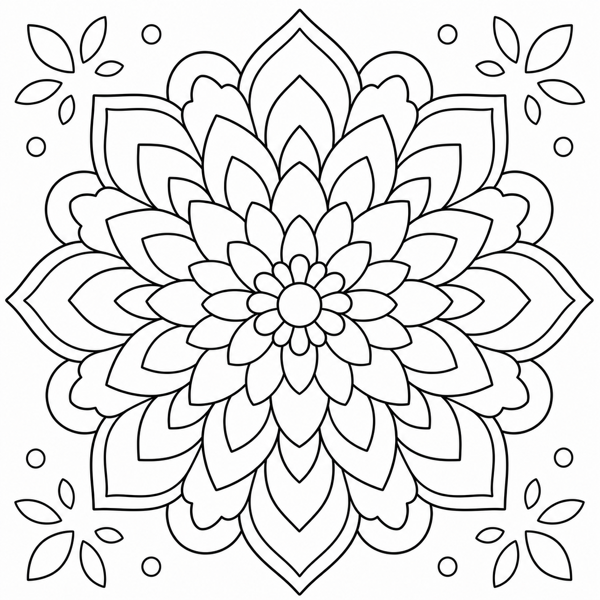
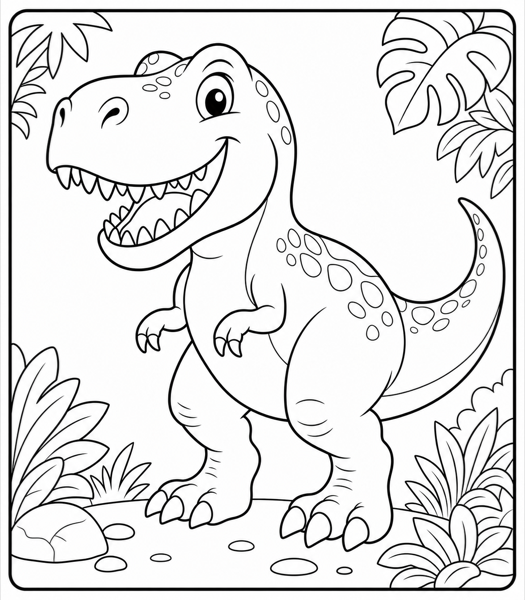
- •Prefer specific over broad: "Mandala Coloring Book for Adults" and "Dinosaur Coloring Book for Kids Ages 4-8" beat "Coloring Book for Everyone."
- •Check that the niche has enough search demand to sustain a book, but is not so saturated that a new title cannot be seen.
Tip: A good niche test: you can name the exact person who buys this book ("a parent of a dinosaur-obsessed five-year-old"). If you cannot, the niche is too broad.
Step 2: Produce the Interior
A typical coloring book has 30-100 pages. Generate more than you need — about 1.5x your target — then curate down to the strongest set. A 50-page book of consistently good pages beats a 75-page book of mixed quality.
- •Lock your settings for consistency: same line weight, same audience, same style across the whole book. A book should feel like one product, not a grab bag.
- •Vary the subject within the theme: for a dinosaur book, mix species, poses, and scene types so the book does not feel repetitive.
- •Run every page through the quality checklist (two-tone, closed lines, right detail, no artifacts) before it earns a place in the book.
- •Plan for single-sided printing: leave the back of each coloring page blank so markers do not bleed through to the next design. This is a feature buyers notice and reward in reviews.
Generate your book's interior pages with InkPage — consistent settings, high-resolution exports, ready to assemble.
Open the Free Generator →Step 3: Meet the Technical Specifications
KDP rejects or flags books that miss its specs, and most rejections are avoidable formatting errors. Here is the complete reference.
Trim size
Trim size is the final physical size of the book. For coloring books, 8.5 x 11 inches is the standard and gives the most coloring space. Alternatives: 8 x 10 inches, or 7.5 x 9.25 inches for some adult books.
Bleed vs. no bleed
- •Bleed means the image runs to the very edge of the page. If any image touches the edge, KDP requires bleed across the whole manuscript: add 0.125 inch to the top, bottom, and outside edge (an 8.5 x 11 page becomes 8.625 x 11.25).
- •No bleed means a white margin around every image and the page stays at trim size. For coloring books, no-bleed with a clean margin is usually simpler and looks intentional.
Margins
- •Outside margins: keep content at least 0.25 inch from the trim edge.
- •Gutter (binding side): scales with page count — 0.375 inch for 24-150 pages, increasing for longer books. Keep important content well clear of the gutter so it is not lost in the binding.
Resolution and color
- •Minimum 300 DPI for all interior images. Below this, lines print soft and KDP may flag low resolution.
- •Interior: black-and-white / grayscale for coloring books.
- •Cover: full color.
File format
- •Interior: one PDF containing all pages in order.
- •Cover: one PDF built from KDP's cover template (back cover + spine + front cover as a single flat image). The spine width depends on your page count — use KDP's calculator.
- •Maximum file size: 650 MB.
Step 4: Design a Cover That Sells
The cover is the single biggest factor in whether a browser clicks. It must look professional and instantly communicate the theme and the audience.
- •Show 2-3 example interior pages on the back cover — buyers want to see what they are getting.
- •Use a large, readable title and a subtitle that names the audience ("for Adults," "for Kids Ages 4-8").
- •Match the cover style to the interior: a cute kids book needs a cute cover; an adult mandala book needs an elegant one.
- •Use KDP's cover template with your exact page count so the spine width is correct.
Step 5: Publish with Metadata That Gets Found
- •Title and subtitle: include the keywords buyers actually type, naturally.
- •Backend keywords: use all 7 slots with real search phrases (not repeats of the title).
- •Categories: choose the most specific accurate categories.
- •Description: state the page count, theme, audience, single-sided printing, and what makes yours better.
- •Answer the AI-content disclosure question truthfully.
Common Rejection Causes and Fixes
- •Low-resolution images: KDP wants 300 DPI at full trim size. InkPage generates high-resolution pages that suit most uses; for KDP's strict full-page requirement, upscale your pages (or use a higher-resolution export) before assembling the book.
- •Bleed inconsistency: if one page bleeds, all must — or remove bleed entirely and use clean margins.
- •Content in the gutter margin: increase the inside margin so nothing is lost in the binding.
- •Wrong cover dimensions: recalculate with KDP's cover calculator using your exact page count.
- •Margins too small: bump all outside margins to at least 0.25 inch.
Realistic Expectations
A KDP coloring book business is a portfolio game, not a single-shot win. One book rarely produces meaningful results on its own; a shelf of well-niched, well-made books compounds. Treat each book as an iteration: improve your niche research, cover design, interior quality, and metadata with every release. The production workflow above gets faster every time you run it — the first book is the hardest, and it is mostly a learning cost.
Tip: Set a process goal for your first book ("publish one complete, spec-perfect book") rather than a revenue goal. The skills you build are what pay for the second book onward.
Produce your first book's interior with InkPage — consistent settings, high-resolution exports, and a quality checklist that keeps every page up to standard.
Open the Free Generator →Related Reading
Before you publish, read the rights guide so your book is built on solid licensing ground. For the page-production skills that feed this workflow, see the complete guide to making coloring pages with AI and the prompts guide.